Increasing Your Readership: Sponsorship and Blog Promotion Opportunities on Suzie Speaks

sponsorshipAre you looking to boost your blog traffic and following? Suzie Speaks is looking to give sponsored and advertising opportunities!

There are three different types of advertising opportunities available: a monthly sponsorship space and a single ‘Blog of The Day.’

Here are a few facts about Suzie Speaks (of which proof can be provided if necessary on request).

At the time of publishing, Suzie Speaks has received over 510,000 views. Here are my readership stats:

WordPress: 8,200
Twitter: 6,919
Facebook: 480
Pinterest: 584

I have a collective readership of about 15,000 across my blog and social media.

MONTHLY ADVERTISING SPACES

I am offering advertising spaces here on Suzie Speaks every month for a period of four weeks (and I say four weeks because some months are longer) at a cost of £25.00

A £25.00 advertising package will last for a period of four weeks and will entitle you to:

  • A 185 x 185px button/banner in the left sidebar of the page, with a direct link to your blog/company, which is a fixed feature for every page of Suzie Speaks.
  • A reblog of one of your posts throughout the month
  • Introductions via social media to some of my favourite bloggers.
  • Promotion in the form of links to your blog/company during my #SundayBlogShare party each Sunday on Twitter.

PLEASE NOTE – the conversion rate from USD to GBP will mean that the total in US Dollars will be approximately $38.

If you wish to advertise your blog for the next four weeks, please email me at suzie81blog@hotmail.co.uk where we can discuss the terms and conditions of the advertising. I have numerous testimonials if needed.

Feel free to check out the sponsors that I have in my sidebar – I’m sure that they would love to see new people!

BLOG OF THE DAY

This is available to WordPress followers only and there is a single space for one blogger every Sunday. There are two price options available:

Option 1: £9.00

  • A single promotional post about your blog with links to all of your social media accounts on Sunday afternoon
  • A reblog of a post of your choice on Sunday evening, during my highest traffic.
  • Promotional tweets to my #SundayBlogShare Twitter party during the day.

Option 2: £12.00

  • A single promotional post about your blog with links to all of your social media accounts on Sunday afternoon
  • A reblog of a post of your choice on Sunday evening, during my highest traffic.
  • Promotional tweets to my #SundayBlogShare Twitter party during the day.
  • Promotional tweets to all of the Twitter parties throughout the week that I participate in.
  • Introductions via social media to some of my favourite bloggers.

Disclaimers:

I cannot guarantee an increase in following, or traffic, but everyone that has been featured as Blog of The Day or advertised their blog so far has indeed received significantly higher views than their usual traffic and gained new followers. Testimonials are available upon request…

Please feel free to contact me at me email address: suzie81blog@hotmail.co.uk with any questions.


You can also find me on Twitter and Tumblr @suzie81blog, and don’t forget to check out my Facebook page http://www.facebook.com/suzie81speaks, my Pinterest page http://www.pinterest.com/suzie81speaks and my Instagram page http://www.instagram.com/suzie81speaks.

How To Use Pinterest Group Boards to Increase Your Blog Traffic

Pinterest group boards

When it comes to Pinterest, I’m still very much a newbie. A good bloggy friend of mine, Elena from Fabulously 50 and Living With Batman was (and still is) the biggest influence on my Pinterest activities – after achieving a monumental amount of success with her own account in a very short space of time she very kindly analysed my profile, boards and activity and then gave me a detailed list of things that I needed to do to start gaining traffic to my blog.

And oh my gosh, it works! Within just four months I have gone from receiving 100 views for the month of September 2015 to at least 100 views a day in January 2016. In fact, by the end of this month I’m set to reach 4,000 views just from Pinterest alone. Yes, it’s hardly taking the blogging world by storm, but think about this over the space of a year – with no increase this would mean 48,000 extra views to the blog with minimal effort.

A large proportion of these views have come from group boards. Continue reading

Want to Increase Your Traffic? Join #SundayBlogShare!

imageIn November 2014 I started a hashtag – #SundayBlogShare – that allowed bloggers to share their links and meet new people. It was not a new idea, I had been participating in similar link ups hosted by other bloggers throughout the year, but I found it to be really useful when networking and getting my posts out to a wider audience.

Over the last year it has become the biggest Twitter party of the weekend (to my knowledge anyway), with hundreds of bloggers around the world sharing thousands of links each Sunday, and it now trends on a weekly basis. Last Sunday, it was the top trending topic in the UK, and trended for over nine hours… Today, as I write, it is only 10.30am and it’s already No. 6…

I’m still in awe of how much it has grown, and I’ve been lucky to have found wonderful new blogs that I follow on a regular basis.

Want to join #SundayBlogShare? The instructions and guidelines are simple: Continue reading

How To Use Twitter Hashtags to Increase Your Traffic

imageSuzie Speaks began in 2013, and was originally used as online therapy, primarily allowing me to discuss a difficult time I was having in my personal life. I knew nothing about social media – I had a personal Facebook account and a Twitter page that I hadn’t used in quite a while, and I rather naively assumed that I would receive a large amount of views simply by pressing the publish button.

It took me about six months to realise that the biggest source of traffic to a blog, without getting heavily into SEO (which I still find difficult to understand), is through different social media accounts. I created a brand new Facebook and Twitter page, separate to my personal ones, and set about building a following.

In two years, I have had nearly 44,000 views from Twitter, but only have 6,500 ‘followers.’ It’s hardly setting the blogging world on fire, but it’s certainly a large number considering the small amount of time (about 5-10 minutes) I spend on there each day.

Why?

It’s all about the hashtags.

What is a hashtag?

A hashtag, put simply, is a label or category that allows others to find something within a specific theme or content and are primarily used on Twitter and Instagram. Once you have copied a URL or used the share button on a post, hashtags can be used to direct your post towards the people you want to read them. On Twitter you can use a hashtag for everything – #cats, #dogs, #football, #sandwiches – but as a blogger the main focus is to use categories that will gain interest in your content and grow your readership and traffic.

Which hashtags should I use?

My blog has no niche – I write about whatever I feel like at a particular time – and I have always found it difficult to put myself into a specific category. However, there are endless categories within the blogging world, and all have different hashtags. The most popular ones are:

#lbloggers: Lifestyle Bloggers
#bbloggers: Beauty Bloggers
#fbloggers: Fashion Bloggers
#pbloggers: Parent Bloggers
#fblbloggers: Fashion Beauty Life Bloggers

There are also hashtags for categories that are more self explanatory:

#travelbloggers
#foodbloggers
#mummybloggers
#parentbloggers

For example, if I have done a post about a place that I have visited recently, I would use the hashtags #lbloggers, #travelbloggers and perhaps #fblbloggers in my link.

However, there are weekly hashtags that can be used to promote yourself further. For each of these, the concept is the same – you tweet your post, regardless of the content, using a certain hashtag on a particular day, and then take the opportunity to see other posts that have been shared within the same hashtag, read them and then retweet. This has been my biggest way of increasing my readership and meeting other bloggers from all over the world. And by retweeting somebody else, it’s likely that they will return the favour and introduce your blog to potentially thousands of new readers in their following.

Note: experienced bloggers will know if you have retweeted something without reading it first, and are unlikely to reciprocate if you develop a reputation for doing this.

  • Monday: #MondayBlogs. This is the godfather of all weekly sharing hashtags, with thousands of bloggers participating each week.
  • Tuesday: #TuesdayShares
  • Wednesday: #wwwblogs (Women’s Writer Wednesday) and #BeWoW
  • Thursday: #ThrowbackThursday
  • Friday: #BlueSkyFriday, #FridayShares and #LinkYourLife
  • Saturday: #ArchiveDay (for older posts), #WeekendBlogHop and #WeekendCoffeeShare (for any ‘If We Were Having Coffee’ posts).
  • Sunday: #SundayBlogShare (I created this)

For example, if I wanted to share my latest travel post on a Sunday, I would add #SundayBlogShare to my hashtags.

There are also Twitter chats for bloggers that will go on for about an hour during the week using hashtags, and there are LOADS of these. However, these are not places to share links – they are purely for talking to other like-minded people, establishing connections and building a readership. For more information on this, here is a brilliant link from The Sits Girls about Twitter chats:

http://www.thesitsgirls.com/social-media/twitter-chat-made-easy-how-to-twitter/

Use trending hashtags

Trending hashtags are the most popular things on Twitter at a particular moment in time, and at several points in the last few years I have written a post about a topic while it was trending, with immediate effect on my traffic once it was posted.

Earlier in the year, the Independent published a scathing article about beauty blogger Zoella. I wrote a post about it and used the hashtag #Zoella that was trending at the time. It was viewed several thousand times on Twitter in a matter of hours.

During the summer, I saw that the hashtag #BloggerBlackmail was trending in the UK. After finding out what it was, I did a post on my opinion of the situation and tweeted it using the same hashtag. It was viewed 500 times in an hour.

Similarly, a story about a stripper named Zola went viral last week. I wrote a post about it, used the hashtag #Zola and tweeted it three or four times. It was seen nearly a thousand times that day, and a further 500 the next.

If something is trending, take the opportunity to base a post around a hashtag and tweet it out.

Note: remember that content is key – if you post out any old nonsense then you may get lots of views initially, but potential readers are guaranteed not to return again, damaging your traffic in the long term.

How often should I use hashtags?

Like every area of social media, it’s important to pace yourself and spread your tweets out so as not to spam your readers. When I have time, I tweet between 3-5 times a day at times when I know I have peak traffic. It takes just a few minutes. If I am using a weekly hashtag, I will make sure that I read and retweet at least one other post, and during #SundayBlogShare, which I host, I can read and retweet several hundred others throughout the day.

So, to put it simply:

  • Use hashtags that are relevant to the content of your post and the audience you wish to target.
  • Use weekly hashtags and take some time to read and retweet other posts in the same hashtag too.
  • Use Twitter chats to establish connections and build a readership.
  • Use trending hashtags where relevant.
  • Tweet your posts 3-5 times a day, leaving some time in between so as not to spam.

You can also find me on Twitter and Tumblr @suzie81blog, and don’t forget to check out my Facebook page http://www.facebook.com/suzie81speaks, my Pinterest page http://www.pinterest.com/suzie81speaks and my Instagram page http://www.instagram.com/suzie81speaks.


Halloween Blog Party!

Halloween blog partyIt’s Halloween, and while many people are preparing for a party with their loved ones, or getting ready to go trick-or-treating and annoying their neighbours, I thought it would be a fun idea to host a virtual party here in the blogosphere.

For those of you who have never participated in a blog party before, the rules are simple (PLEASE READ THESE FIRST BEFORE POSTING)…

1. Choose your favourite post from your own blog. The subject of the post can be anything you like – blogging, food, parenting, life, travel, thoughts, photography… Note: This should be only one post at a time or it will get sent straight to the ‘spam’ folder and I may not be able to find you for a while. You can share up to three links, and for maximum impact I would suggest that you wait a little while in between posting them rather than in one go.

2. Paste the link in the comment section of this post and feel free to write a little bit about yourself and/or your blog.

3. Enjoy! Relax, pull up a chair, meet new people! Find new blogs, comment on their posts, follow, reblog and share. Let them know that you met them here!

The party will be going on for the next 24 hours, and you can visit as many people as you like. You don’t have to follow my blog or social media accounts to participate (although you’re always welcome to!) and you’re very much allowed to reblog and share this post so you can invite your friends!

Dont forget, if you instantly want to meet new people without waiting for links, I’ve got a whole group of lovely blogging sponsors in my sidebar who would love it if you stopped by to say hello!

Want to join in another blog party? Donna is hosting one at her place – hop on over and say hi!

Looking to host your own blog party? Check out this post for a list of hints and tips to get you started!

Ooh I’ve been looking forward to this! Let’s get the party started!

You can also find me on Twitter and Tumblr @suzie81blog, and don’t forget to check out my Facebook page http://www.facebook.com/suzie81speaks, my Pinterest page http://www.pinterest.com/suzie81speaks and my Instagram page http://www.instagram.com/suzie81speaks.

The Zola Story and a Twitter Meltdown

The Zola storyYesterday Twitter went into meltdown over a woman’s story about a trip to Florida with someone that she met a Hooters.

Aziah King, with the Twitter handle @_zolarmoon, shared the events in a series of over a hundred tweets, and tells of stripping, prostitution, pimps, a failed suicide attempt and a possible murder. While the story has since been deleted, it was clear from looking at her tweets after it went viral that this isn’t the first time she had posted it, but this time each part was retweeted hundreds of times, eventually resulting in not just the story, but the characters themselves becoming worldwide trending topics.

While it’s unclear how true the story is, it has been applauded for it’s character development, plot twists and suspense. There have been calls for it to be made into a screenplay, and compared to modern smash hit series like Empire. Aziah’s Twitter following went from 750 followers to 50,000 + overnight.

Want to read the full story? You’re going to need about twenty minutes, but it’s worth your while.

Click here

Perhaps this will spark a new trend in self publishing?

What do you guys think? Have you read it?

You can also find me on Twitter and Tumblr @suzie81blog, and don’t forget to check out my Facebook page http://www.facebook.com/suzie81speaks, my Pinterest page http://www.pinterest.com/suzie81speaks and my Instagram page http://www.instagram.com/suzie81speaks.

How To Host a Blog Party

How to host a blog partyBlog parties are one of my favourite things to do, and in my experience they are an incredibly fun and successful way of boosting traffic to your blog and building a readership.

For those who have never heard of a blog party before, the concept is simple. The host will create a post which states a set of rules. Other bloggers will then share a link to a post from their blog in the comment section and will go and visit other links from the people participating. I love participating in these sorts of events, and have discovered many wonderful blogs and bloggers by doing so.

Hosting a successful party, however, takes a little bit of preparation and time in advance, and requires 100% commitment on the day.

Want to host your own blog party? Here’s my easy step-by-step guide to planning and developing a party that will get the blogosphere talking!

In advance:

1. Decide on a date and time in which you wish to host the party. This will depend on a number of things:

  • The day and time of the week where you get your highest traffic.
  • A day where you have a large block of time to fully commit to the party.
    It’s important to note here that the length of time in which a party can last will be entirely up to you. I prefer for mine to go on for the entire day, accommodating different time zones and giving the opportunity for readers from all over the world to participate. However, I do know of many that prefer just a two or three hour time slot.

2. Decide on a potential theme (although a theme is not necessary – you may wish to host one just for the fun of it). There is no right or wrong to this – you may want to celebrate a blogiversary, your birthday, the release of your new book or a national holiday. You may ask participants to only share posts within this theme, or could leave it open. I often prefer to leave the content of posts up to the blogger instead of requesting a particular subject, as I find that it alienates those who may have a different niche and don’t have any posts that match the criteria.

3. Issue an invitation about a week before. Any earlier than this it’s likely that it will be forgotten, and giving only a day’s notice may mean that others won’t have the opportunity to schedule some time to participate. I like to create a graphic with the details, which I share on my blog and my social media pages and then I contact close blogging friends personally through private/direct messages.

4. Promote your party throughout the week. Of course, it’s never advisable to spam everyone with constant reminders, but sharing the graphic or the details of the party again once a day will retain interest and will notify others who missed the first announcement.

On the day:

1. Create a post for the party which makes clear the rules which you wish participants to follow. These rules will differ depending on the blogger and the purpose of the party. I usually tend to use the same rules each time, which others have been able to follow quite easily and respectfully:

  • Choose your favourite post from your own blog. The subject of the post can be anything you like – blogging, food, parenting, life, travel, thoughts, photography… Note: This should be only one post at a time or it will get sent straight to the ‘spam’ folder and I may not be able to find you for a while. You can share up to three links, and for maximum impact I would suggest that you wait a little while in between posting them rather than in one go.
  • Paste the link to your post in the comment section of this post and feel free to write a little bit about yourself and/or your blog.
  • Enjoy! Relax, pull up a chair, meet new people! Find new blogs, comment on their posts, follow, reblog and share. Let them know that you met them here!

2. Be a gracious host. My settings mean that I have to approve every comment before it shows on the blog, so I have to ensure that I am available for the entirety of the party and approve them as quickly as possible (and check my spam folder as it’s inevitable that some won’t read the rules). Once I have, I try and visit as many as possible and leave a comment both on their blog and in a reply on my own post. It’s a massive undertaking if the party is extremely busy, but I try and thank as many people as possible for sharing a link – making people feel welcome, particularly if they have never visited your blog or been to a blog party before, will encourage them to go and visit others and may become a regular reader. It’s surprising how many feel a little nervous about introducing themselves to new people.

3. Continue to promote your party throughout the day on your social media.

Want to participate in a blog party? I am hosting a Halloween party THIS SATURDAY here at Suzie Speaks, and everyone is invited! Your post/s don’t have to have a scary theme, everyone is welcome to share any links (up to a maximum of three) that they like, and they don’t have to be a recent one. For more information, check out the rules in this post! The party will begin at 9.00am GMT and will go on until 9.00am on Sunday 1st November.

Halloween blog party

Halloween Blog Party!

I look forward to seeing you all there!

You can also find me on Twitter and Tumblr @suzie81blog, and don’t forget to check out my Facebook page http://www.facebook.com/suzie81speaks, my Pinterest page http://www.pinterest.com/suzie81speaks and my Instagram page http://www.instagram.com/suzie81speaks.

How I Am Building My Pinterest Page

Building up my Pinterest pageA few months ago my bloggy friend Elena, over at Elena Peters: Midlife Blogger surprised me by doing an analysis of my Pinterest activity. I’d had an account for quite a while, but did little with it, and she very kindly decided to help me out as she has achieved great success with hers in a very short amount of time. Not only that, she created a series of posts, effectively a ‘How To’ guide on developing and growing a readership.

After reading her advice, this is what I did

  • Added my blog link and key words to the description of each of my boards.
  • Changed my account to a ‘business’ account.
  • Created a group board and invited other bloggers to share their posts. I’ve participated in one of Elena’s shared boards and it has been a great way to see more blog posts, so I’ve started my own.
  • Joined several other group boards.
  • Created different boards of things I am interested in: running, hair and beauty (ie, things that I could do myself without looking like a panda), photography, food, motivational quotes, Birmingham… I’ve gone pin crazy adding things that have inspired me.
  • Put the boards into an order that made sense – my blog board first, followed by my group board, followed by my interest boards, with my group boards at the end.

After a little while, I started to develop it even further.

  • I made my pins into ‘rich pins.’ This was quite a complicated process as I am a .com site and not a self-hosted .org like Elena, so I will give more details on this in a later post.
  • I started to created pin-worthy images. For this, I use Canva on my iPad – it’s a free app, extremely easy to use and I have had lots of fun trying out new ideas and styles with it.
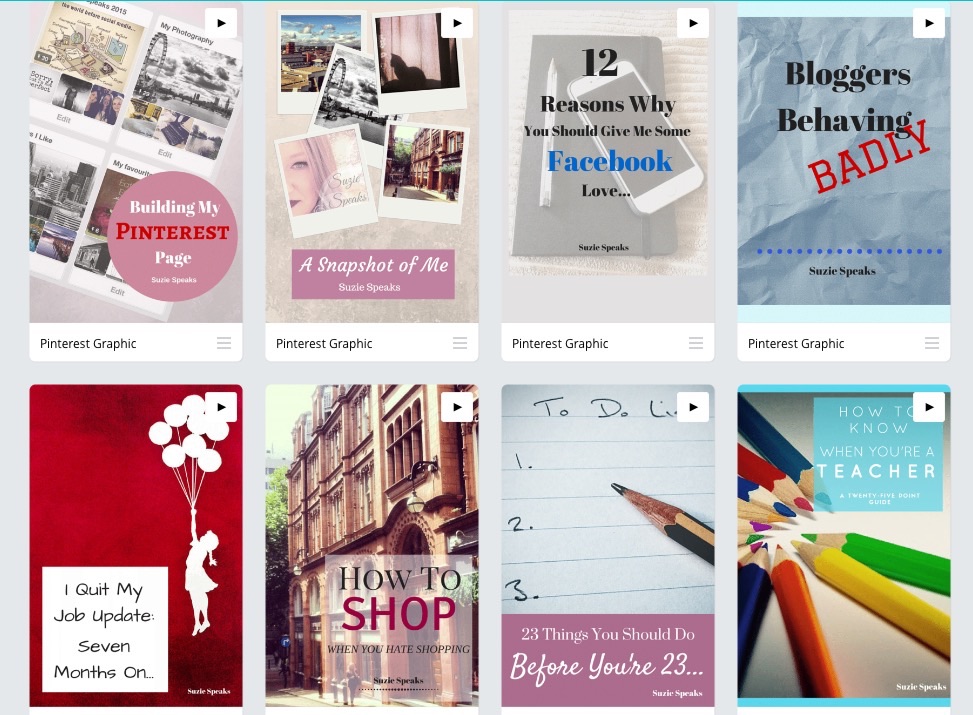
Images created with Canva

Some of the images I have created with Canva

  • I have also started putting keywords into the ‘Alt’ section of my images before I publish the post.

And the results? For one, my following has more than doubled, although it has admittedly slowed down recently due to my lack of activity on there at the end of September.

Since Elena’s advice I have seen a steady, but noticeable increase of an extra 100+ views, and my October views are set to be sizeably higher. In fact, they will have tripled in just a few months, which is amazing considering the small amount of time and attention I actually put into the account.

Want to know more? You can find mine and Elena’s amazing set of offers for setting your blog for success in 2017, with brilliant advertising opportunities and a KILLER Pinterest and Twitter course bundle…

Simply click on the image below

image


12 Reasons Why You Should Give Me Some Facebook Love…

Why you should give me some Facebook love

A little while ago, I realised that my Facebook page was in need of some love. I started to build it up, and gained a little success with drawing new viewers to my blog by sharing my posts. However, I’ve found that it has been completely neglected recently and needs a new breath of life…

It’s always quite embarrassing when trying to promote ourselves. As bloggers, lots (NOT ALL, but lots) of us want our ramblings to be read, shared, commented on, and as my views have increased I have had to resist shouting it from the rooftops when I have written a post that I am proud of. However, there is no point in being coy about this: this is blatant self promotion.

Here is the link to my page:

http://www.facebook.com/suzie81speaks

Still not interested?

1. It’s a great way to catch up on some of the posts that you may have missed. I also find it easier and quicker to communicate with non-WordPress bloggers there…

Need more reasons?

2. I don’t post Instagramed pictures of everything that I eat.

3. I don’t indulge in sharing too much information. You won’t hear about it when I go to the toilet. Unless something really exciting has happened when I’ve been in there.

Don’t forget… http://www.facebook.com/suzie81speaks

4. I don’t post cryptic messages that are clearly meant for someone without actually writing their name.

5. While I am in a long term relationship, you won’t be subjected to constant pictures of me and The Bloke. Unless The Bloke is doing something stupid. Then I’ll tell you all about it.

6. I don’t believe myself to be a sporting pundit, and don’t post constant quotes about the performance of different teams.

7. I don’t post pictures like this:

Who creates this nonsense?

Who creates this nonsense?

8. You won’t receive any Candy Crush requests from me.

Remember… http://www.facebook.com/suzie81speaks

9. I won’t litter the page with pictures of me relaxing on a beach and drinking a cold beverage when I’m on holiday, just to remind you that you’re still at home in the cold… much. Ok, I’ve done that once in two years. But it was a lovely beach.

10. I do have a reasonable pop culture knowledge and a sense of reality, so won’t get Star Wars and Transformers mixed up in my posts or comments:

Oh dear...

Oh dear…

11. I don’t post up pictures of myself crying in a mirror to show that I’m not just upset, but I’m REALLY UPSET.

12. I like to share things that are intellectually stimulating. For example, did you know that the knots in my bedroom door look like Sid from Ice Age? Don’t believe me? You’ll have to visit my page to see!

Ok, admittedly, there are occasionally pictures of cats, but before you go running for the hills, they are pictures of MY cats, who are awesome. Clearly worth your time. There are also posts about music, life, love, beauty, friendship, family, teaching, parenting and mental health. It’s all Suzie, all of the time!

To give my page some much needed attention, here is the link again. Looking forward to seeing you there!

http://www.facebook.com/suzie81speaks

You can also find me on Twitter and Tumblr @suzie81blog, and don’t forget to hop on over to my Pinterest page http://www.pinterest.com/suzie81speaks and my Instagram page http://www.instagram.com/suzie81speaks

Blog Envy

imageIt’s inevitable that, after a period of time in the blogging world, many will suffer from this at some point.

I’m one of them.

Comparison forms a part of daily life and is a perfectly natural response, despite how unhealthy it can be for one’s self-confidence. While I have made huge strides in developing a life that I am happy with, I’ve lost count of the amount of times I’ve envied a friend’s beautiful house, or how fantastic they look in an item of clothing. I’ve been secretly jealous of someone’s naturally sparkly personality, or a talent that they have, or even how exciting and interesting their lives seem to be. Continue reading